
@tufluckmoto
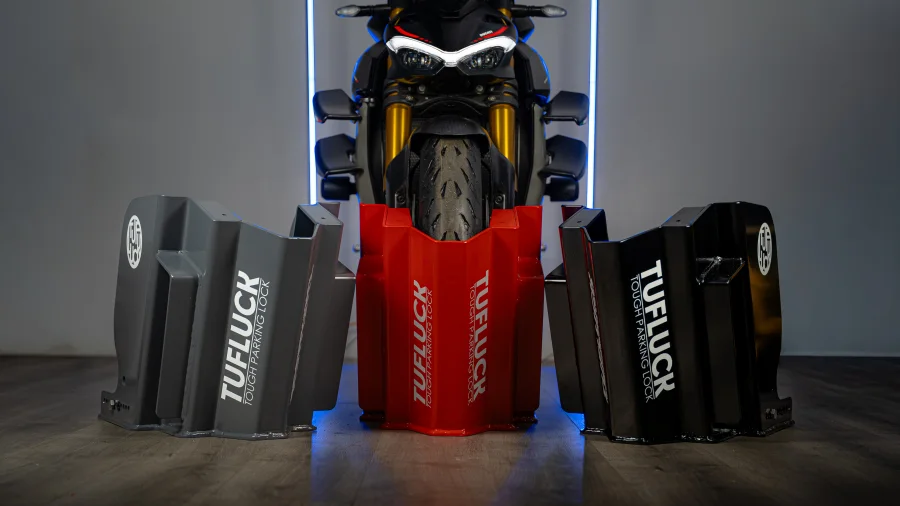
Diamond Rated Ground Anchor & Wheel Chock Hybrid
Got a tag?
Scan it with your phone and create your page.
No app neededWhat is TufLuck Tag?
TufLuck Tag gives you your own page and a smart NFC tag that opens it. Tap the tag with a phone and your page opens instantly — your socials, shop, videos and contact details in one place. No app needed, and it's free.
How it works
- Get a tag — tap a TufLuck tag, or create one free online.
- Confirm your email and choose a password.
- Make it yours — send it to one link, or build your page and share it anywhere.
FAQ
Is it really free?
Yes. Creating your tag and your page costs nothing, and you can update it as often as you like.
Do I need a physical tag?
No. You can create one online — once you confirm your email you get your own tag number and page address to share anywhere. If you have a TufLuck NFC tag, just tap it to set it up.
How do I scan a tag?
Hold the top of your phone near the tag. iPhone XS and newer read tags automatically when unlocked. On Android, make sure NFC is switched on in Settings. No app needed.
What happens when someone taps my tag?
It opens whatever you choose in your account: your own link-in-bio page, a single link (like your shop or Instagram), or the TufLuck page. You can change it any time — no need to rewrite the tag.
Can I have more than one tag?
Each account has one tag.
How do the competitions work?
When a competition is running, entry is free and there's no purchase necessary — one entry per person. Your entry counts once you confirm your email. The winner is picked at random from valid entries and contacted by email. Full details are in the competition terms.
What do you do with my details?
We use your email to run your account. We only send marketing if you opt in, and we never sell your details. You can download or delete your data from your account at any time. See our privacy notice.